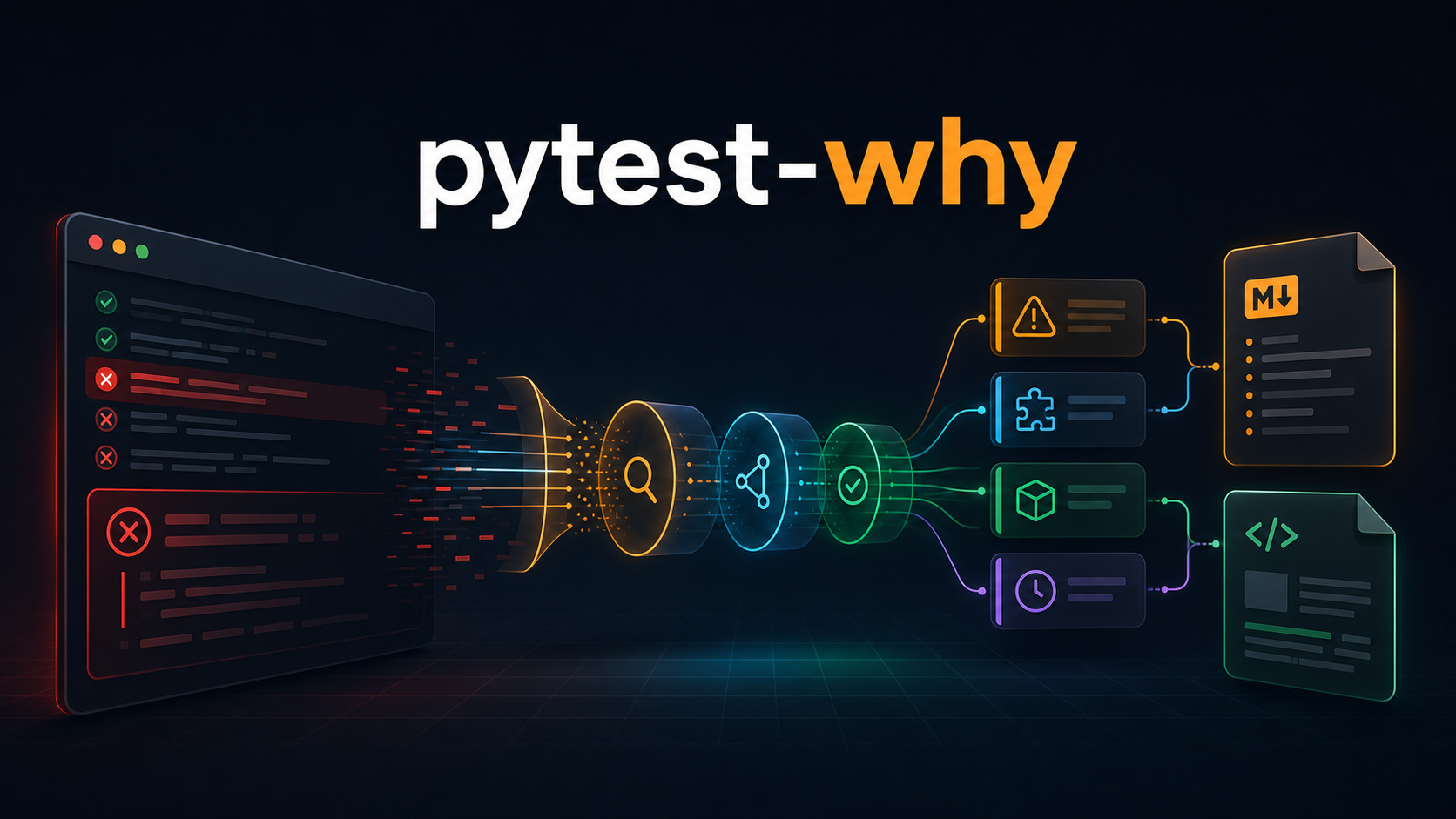
pytest-why
The Challenge
Pytest provides technically complete tracebacks, but developers still spend time deciding whether a failure came from assertions, fixtures, imports, timeouts, collection, browser timing, or teardown before they can act.
The Solution
Built an opt-in pytest plugin that listens to runtime and collection reports, classifies supported failure patterns, enriches Selenium and Playwright failures with browser context, and produces terminal, Markdown, and escaped standalone HTML guidance without hiding the original traceback.
Failure Intelligence Pipeline
How pytest-why turns raw pytest events into actionable guidance while keeping the original traceback intact.
- ✓Opt-in pytest --why workflow
- ✓Setup, call, teardown, and collection failure capture
- ✓Assertion, fixture, import, timeout, and unknown classifications
- ✓Selenium and Playwright context-aware hints
- ✓Shareable Markdown and standalone HTML reports
- ✓Complete raw traceback preservation
- ✓Safe Markdown fences and escaped HTML output
- ✓Pytester-based end-to-end plugin verification
pytest-why: Turning Pytest Failures into Actionable Engineering Guidance
Pytest is excellent at telling us that a test failed. It gives us the failing node, the test phase, the assertion diff, and the traceback that led to the error.
The harder question is what to do next.
In a large test suite, the raw output can be technically complete and still require several minutes of interpretation. Was the failure caused by an incorrect assertion, a fixture that never initialized, a broken import, a timeout, or a browser interaction that happened before the page was ready?
pytest-why adds a small diagnostic layer to that workflow. It observes failed
pytest reports, classifies common failure patterns, prints a concise explanation
at the end of the run, and creates Markdown and HTML reports that can be shared
with the rest of the team.
The package does not replace pytest's traceback. It organizes the traceback around three practical questions:
- What kind of failure is this?
- Why does this category of failure usually happen?
- What should the developer inspect first?
This article explains what pytest-why does, how it integrates with pytest, how
the classifier works, how reports are generated, and where the current design
draws its boundaries.
The Problem: A Traceback Is Evidence, Not a Diagnosis
Consider a simple failing test:
def test_total_price():
    subtotal = 100
    tax = 18

    assert subtotal + tax == 120
Pytest correctly reports:
E assert (100 + 18) == 120
For an experienced developer, the next step is obvious: compare the expected and actual values and trace where they diverged. For a new contributor, a large CI log, or a failure buried among dozens of other failures, that interpretation still takes time.
Other failures are less direct:
- A missing fixture fails during
setup, before the test body runs. - An import error may stop collection entirely.
- A timeout often points to a blocked operation rather than the final line in the traceback.
- A Selenium or Playwright failure may be caused by selector drift, page timing, an incorrect wait, or an element that is present but not interactable.
- A teardown error can make a successful test appear alongside a broken cleanup process.
The common thread is that pytest provides the evidence, but developers still have to classify the failure before debugging it.
pytest-why makes that classification explicit.
What pytest-why Does
The package is a pytest plugin activated through one command-line flag:
pytest --why
When enabled, it:
- Captures failures from test setup, test execution, and teardown.
- Captures errors that happen during test collection.
- Examines pytest's textual traceback representation.
- Assigns a known failure category when a supported pattern matches.
- Prints a short explanation and debugging hint in the terminal summary.
- Writes
pytest-why-report.md. - Writes
pytest-why-report.html. - Preserves the complete raw traceback in both reports.
Without --why, the runtime plugin is not registered and no report files are
created.
That opt-in behavior matters. A pytest plugin should not silently change every
test run merely because it is installed. Teams can add --why locally while
debugging, enable it in a CI troubleshooting job, or use it only when they need
shareable diagnostics.
Installation
Install the package from PyPI:
python -m pip install pytest-why
Then run an existing test suite with:
python -m pytest --why
No test code changes are required.
A First Example
Given this test:
def test_math():
    assert 2 + 2 == 5
Running:
pytest --why
adds a summary like this:
================ pytest-why: failure explanations ================
Total failures: 1
Assertion mismatch: test_math.py::test_math (call)
  Why: The code ran, but the observed value or state did not match what the test expected.
  Hint: Compare the expected and actual values near the final assertion, then trace where they first diverge.
Reports: pytest-why-report.md, pytest-why-report.html
The original pytest failure remains visible. The plugin adds a compact interpretation after the normal output instead of hiding or rewriting pytest's diagnostics.
Understanding Pytest's Failure Phases
One of the most useful pieces of context in a pytest failure is the phase in which it occurred.
A test item can produce reports for:
setup: fixtures and other pre-test preparation.call: execution of the test function.teardown: fixture finalizers and cleanup.
Collection errors happen even earlier, while pytest imports test modules and discovers tests.
pytest-why records the phase with every failure. That is especially important
for fixture classification. The word "fixture" appearing in an assertion
message does not necessarily mean pytest failed to resolve a fixture. The
classifier treats missing fixtures, scope mismatches, and recursive fixture
dependencies as fixture errors only when the report phase is setup.
For example:
def test_requires_database(database):
    assert database.is_connected()
If database is not defined, pytest fails during setup. pytest-why reports:
Fixture error: test_database.py::test_requires_database (setup)
  Why: Pytest could not prepare the test because a fixture is missing,
       has an incompatible scope, or depends on itself.
  Hint: Check the fixture name, where it is defined, its scope, and its
        dependency chain.
The phase tells the developer not to debug the assertion or application logic: the test body never ran.
The Classification Model
The current classifier recognizes five outcomes.
| Classification | Typical signals | First debugging direction |
|---|---|---|
| Assertion mismatch | AssertionError, pytest assertion output, collection diffs | Compare expected and actual values |
| Import error | ImportError, ModuleNotFoundError, missing module or symbol text | Check installation, import paths, symbols, and circular imports |
| Fixture error | Missing fixture, ScopeMismatch, recursive fixture dependency during setup | Check fixture discovery, scope, and dependency chains |
| Timeout | Timeout exceptions, timeout plugin output, "timed out" text | Find the blocked operation and inspect wait boundaries |
| Unknown failure | No supported pattern matched | Start with the final application frame and inspect nearby state |
Classification order is deliberate.
A fixture error is checked first because setup failures often contain generic
language that could overlap with other patterns. Import and timeout failures are
then checked before assertion mismatches. Anything that does not match a known
category receives an unknown_failure result rather than being forced into an
incorrect explanation.
The unknown category is a necessary design choice. Diagnostic software should be willing to say that it does not recognize a failure. A broad but inaccurate classification would send the developer in the wrong direction.
Browser Automation Context
Browser failures have a recognizable debugging surface. A missing element in a Selenium or Playwright test can involve:
- An outdated selector.
- A page that has not finished loading.
- A missing explicit wait.
- An element outside the visible or interactable state.
- A stale reference after a DOM update.
When the traceback contains browser-related terms such as selenium,
webdriver, NoSuchElementException, playwright, locator, or page.,
pytest-why appends a browser-specific hint to the base classification.
For example:
def test_login_heading(page):
    page.goto("http://localhost:8000/login")
    heading = page.locator("h1").text_content()

    assert heading == "Dashboard"
If the page renders Welcome back, the result is still an assertion mismatch,
but the hint also asks the developer to verify selectors, waits, page timing,
and element visibility.
This is a useful distinction: browser context enriches the classification without creating a separate category for every automation framework exception.
How the Pytest Plugin Works
The package is registered through pytest's pytest11 entry-point group:
[project.entry-points.pytest11]
why = "pytest_why.plugin"
That allows pytest to discover the package after installation.
The plugin module first defines the command-line option:
def pytest_addoption(parser):
    group = parser.getgroup("pytest-why")
    group.addoption(
        "--why",
        action="store_true",
        default=False,
        help="Explain failures and write pytest-why Markdown and HTML reports.",
    )
During configuration, the runtime collector is registered only when the flag is present:
def pytest_configure(config):
    if config.getoption("--why"):
        config.pluginmanager.register(WhyPlugin(), "pytest-why-runtime")
The runtime plugin listens to two report streams:
def pytest_runtest_logreport(self, report):
    self._record_failure(report, report.when)

def pytest_collectreport(self, report):
    self._record_failure(report, "collect")
pytest_runtest_logreport covers setup, call, and teardown reports.
pytest_collectreport covers failures raised while collecting tests.
For each failed report, the plugin stores:
nodeid
phase
duration
longreprtext
type
title
explanation
hint
At the end of the session, pytest_terminal_summary prints the concise terminal
view and sends the complete failure list to both report writers.
The flow is intentionally small:
pytest report
    -> failure collector
    -> classifier
    -> normalized failure record
    -> terminal + Markdown + HTML
Keeping classification separate from report rendering makes the behavior easier to test and allows future output formats to consume the same normalized data.
Why the Raw Traceback Is Preserved
An explanation is useful, but it is not a substitute for evidence.
Each Markdown and HTML report includes:
- The test node ID.
- The pytest phase.
- The normalized classification.
- The duration, when pytest provides one.
- The explanation.
- The suggested next step.
- The complete raw traceback.
This gives the report two reading levels. A developer can scan the title and hint to triage several failures quickly, then expand the traceback for detailed investigation.
It also avoids a common problem in diagnostic tools: summarizing so aggressively that the original context disappears.
Markdown Reports for Engineering Workflows
The Markdown report is designed for systems where plain text is already the native format:
- Pull-request descriptions.
- GitHub issues.
- Incident notes.
- CI artifacts.
- Team chat threads.
- Internal documentation.
A report entry looks like:
## 1. `tests/test_checkout.py::test_total`

- **Phase:** `call`
- **Type:** `assertion_mismatch` - Assertion mismatch
- **Duration:** 0.012s

**Why:** The code ran, but the observed value or state did not match what the
test expected.

**Hint:** Compare the expected and actual values near the final assertion, then
trace where they first diverge.
The raw traceback is placed inside a collapsible <details> block.
There is a subtle implementation detail here: tracebacks can contain Markdown backticks. A fixed triple-backtick fence could be terminated by traceback content and corrupt the report. The reporter scans for the longest run of backticks and chooses a fence that is at least one character longer.
If the traceback contains:
```text
example
the outer report uses four backticks. This keeps arbitrary traceback text inside
the intended code block.

## Standalone HTML Reports

The HTML report provides the same data in a styled, portable document.

Each failure is rendered as a card with:

- Responsive metadata.
- A readable explanation and hint.
- A collapsible traceback.
- Light and dark color-scheme support.
- Wrapped node IDs and traceback content.

The report has no external stylesheet or JavaScript dependency, so one file
contains the entire result.

Raw failure data must be treated as untrusted content. Assertion messages and
tracebacks can include strings from web pages, APIs, fixtures, or user input.
The HTML writer escapes every dynamic field before inserting it into the
document:

```python
traceback=escape(str(failure.get("longreprtext", "")))
Without escaping, a traceback containing <script> or other HTML could change
the report document. The test suite verifies that such content is displayed as
text rather than interpreted as markup.
Collection Errors Are First-Class Failures
Many test-reporting tools focus only on executed test functions. That misses a major class of pytest failures: tests that could not be collected.
Consider:
import package_that_does_not_exist


def test_unreachable():
    pass
The test function never runs. Pytest raises a collection error while importing the module.
Because pytest-why listens to collection reports, it can still produce:
Import error: test_import_error.py (collect)
  Why: Python could not import a module or symbol required while collecting
       or running this test.
  Hint: Verify the package is installed, the import path is correct, and the
        symbol exists without a circular import.
This is one of the most important integration details in the package. Capturing only runtime reports would make the import-error classification incomplete.
Report Behavior in CI
A useful CI pattern is to preserve the generated files as artifacts:
- name: Run tests with explanations
  run: python -m pytest --why

- name: Upload pytest-why reports
  if: always()
  uses: actions/upload-artifact@v4
  with:
    name: pytest-why-reports
    path: |
      pytest-why-report.md
      pytest-why-report.html
The if: always() condition matters because pytest exits with a non-zero status
when tests fail. The upload step should still run so the diagnostic report is
available for the failed job.
The Markdown file can also be posted into a pull request by a separate workflow, while the HTML file remains a downloadable artifact for deeper inspection.
Testing the Plugin Itself
Pytest plugins need more than unit tests around helper functions. They should be tested through real pytest runs.
The pytest-why test suite uses pytest's pytester fixture to create temporary
test modules and execute nested pytest sessions. These integration tests verify
that:
--whyprints the expected terminal summary.- The Markdown and HTML files are created.
- A normal pytest run without
--whyremains unchanged. - Missing fixtures are classified during setup.
- Import errors are captured during collection.
Separate classifier tests cover each supported category and browser-hint enrichment.
Reporter tests verify:
- Duration formatting.
- Markdown structure.
- Safe handling of embedded backtick fences.
- HTML escaping of traceback content.
This division gives the project coverage at three levels:
- Classification logic.
- Output rendering.
- End-to-end pytest integration.
Design Boundaries
pytest-why is intentionally focused. It does not attempt to understand every
exception type or infer the root cause of arbitrary application failures.
The current model has several boundaries:
- Classification is based on known textual signals in pytest's traceback representation.
- Multiple failures are reported independently; the package does not currently group duplicate root causes.
- Reports are written to the current working directory.
- Output file names are fixed.
- The classifier does not inspect application source code or runtime variables beyond what appears in the report.
- Framework-specific context currently focuses on Selenium and Playwright.
These boundaries keep the package predictable, but they also identify clear future improvements:
- User-defined classification rules.
- Configurable report paths and formats.
- Structured JSON output.
- Grouping repeated failures by fingerprint.
- Links from report frames to source repositories.
- Additional guidance for database, API, concurrency, and infrastructure failures.
Any expansion should preserve the current fallback rule: when confidence is low, keep the original traceback central and avoid pretending to know more than the available evidence supports.
When pytest-why Is Most Useful
The plugin is particularly useful in:
- Large regression suites where several unrelated failures appear together.
- CI pipelines where developers need a quick triage view before opening the complete log.
- Onboarding environments where contributors are still learning pytest phases and fixture behavior.
- Browser automation projects where selectors and timing failures recur.
- Pull requests where test evidence needs to be shared in a readable format.
- Support workflows where the person investigating the failure did not run the test locally.
For a single obvious assertion, the explanation may simply confirm what an experienced developer already sees. The value grows when failures cross pytest phases, involve collection, or need to be communicated outside the terminal.
Getting Started
Install the latest release:
python -m pip install -U pytest-why
Run your suite:
python -m pytest --why
After the run, inspect:
pytest-why-report.md
pytest-why-report.html
Project links:
- PyPI: pypi.org/project/pytest-why
- GitHub: github.com/godhiraj-code/pytest-why
- Author: dhirajdas.dev
Final Thoughts
Good test diagnostics should reduce the distance between failure and action.
Pytest already provides strong failure evidence. pytest-why builds on that
foundation by adding category, context, and a practical first debugging step,
while preserving the complete traceback for deeper analysis.
The result is a small workflow change:
pytest --why
But that change turns a test run into something easier to scan, easier to share, and easier to investigate.